Creating a new request for GW
-
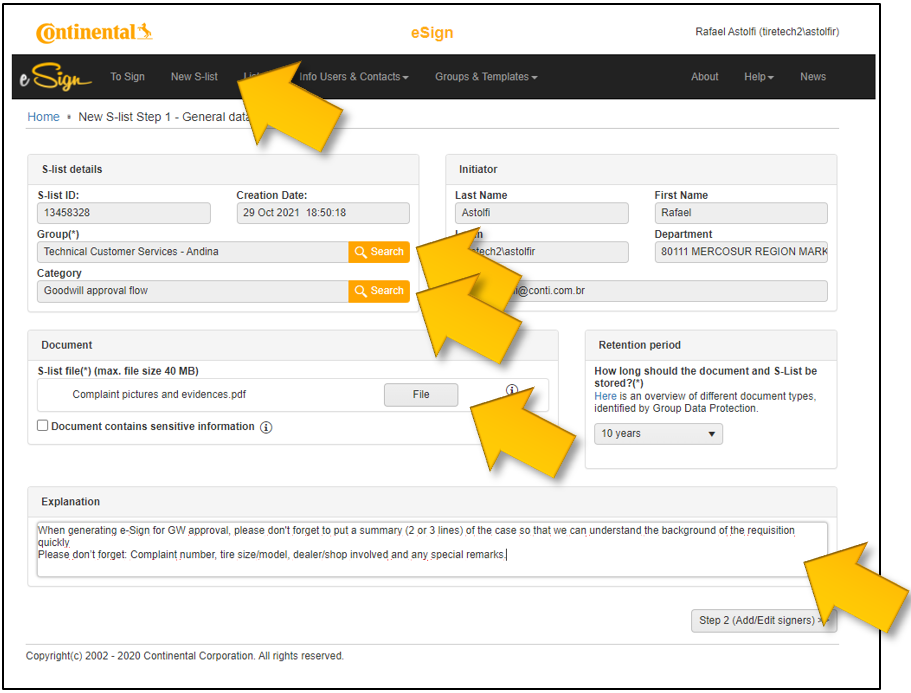
Access e-Sign and click on “New S-list”
-
Click on “Group” and choose
-
“Technical Customer Services - TT North America”
-
-
Click on “Category” and choose
-
“Goodwill approval flow”
-
-
Click on “Document” and attach all necessary elements for analyzes
-
Click on “Explanation” and provide some background: Brief summary (2 or 3 lines) of the case so that we can understand the background of the requisition quickly.
-
Please don’t forget:
-
-
Complaint number
-
Tire size/model
-
Dealer/shop involved and
-
Any special remarks.
-
-
-
- Click on
- “Copy signers and viewers from template”
- Select
-
- “Approval Flow for Commercial Concessions - TT”
- Submit you request by clicking on
- “Save and start the workflow”

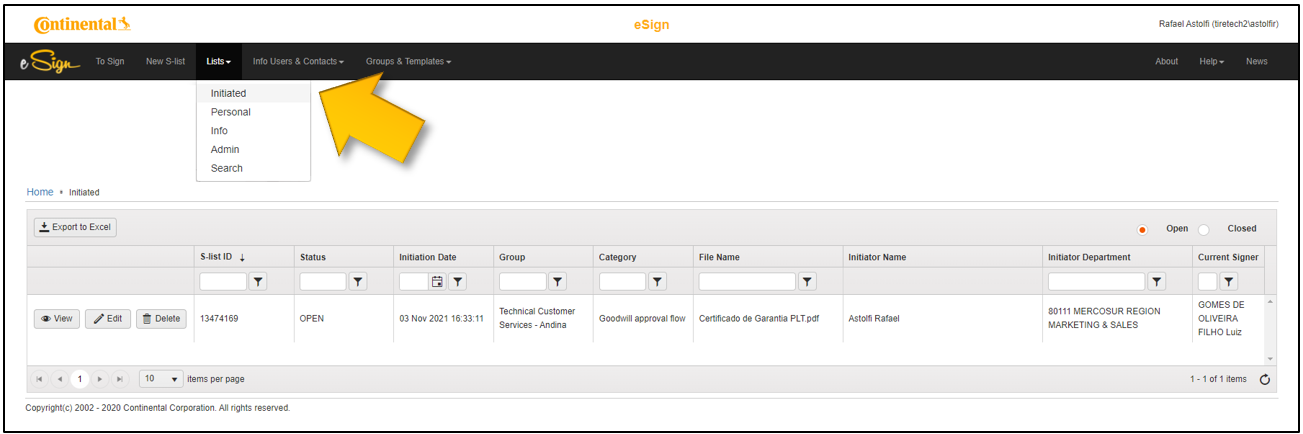
GW Requests - How to Check them
- 1.You can see your request by clicking on
- “Lists” → “Initiated”
- 2.You and the approvers will receive e-mails with the progress of your request.